
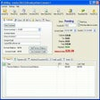
kBilling (3.6.0)
Download kBilling for Windows today. A 100% safe, official, and professional invoicing solution to streamline your small business billing and tax management.
Overview
Let’s be honest for a second—nobody starts a business because they’re excited about the paperwork. Whether you’re running a small boutique, a freelance design studio, or a mid-sized distribution hub, the dream is always about the work, not the math. I still remember my first "professional" invoice; it was a messy Word document with a crooked logo and a table that refused to align. I spent three hours on it, and it still looked like a high school project. We’ve all been there, right? Staring at a spreadsheet at 2:00 AM, praying that we didn’t accidentally misplace a decimal point while a client waits for their bill.
The truth is, manual invoicing is a silent killer of productivity. It’s slow, it’s prone to human error, and it makes your business look... well, a little amateur. That’s where kBilling steps in. At updov.com, we’ve reviewed hundreds of business tools, but there’s something about kBilling that feels like a breath of fresh air. It isn't trying to be a massive, bloated ERP system that requires a week-long seminar to understand. It’s a focused, high-performance "utility" in the truest sense of the word. In this guide, we’re going to explore why this 3.6.0 version is the go-to choice for Windows-based businesses in 2026. If you’re ready to stop "managing" your invoices and start actually sending them, you’re in the right place.
What is kBilling?
So, what are we looking at here? kBilling is a dedicated professional invoicing and billing software suite designed specifically for small to medium-sized businesses (SMBs). Developed by K-billing, it’s a Windows-native application that serves as the financial "nerve center" for your operation.
Think of it as a super-powered digital ledger that handles everything from the first quote to the final payment receipt. Unlike some web-based tools that disappear if your internet goes down, kBilling is a robust desktop application. It combines client relationship management (CRM) with a powerful product database and a streamlined invoicing engine. It’s a trial-version software, meaning you can take it for a spin to see if it fits your workflow before committing. Whether you need to manage a handful of clients or thousands of products, it’s built to scale with you without making the process "knotty" or over-complicated.
Key Features
Don't let the straightforward interface fool you—kBilling is packed with intelligent tools designed to save you from your own bookkeeping:
- Streamlined Invoice Creation: Create, edit, and duplicate invoices in seconds. The "duplicate" function is a literal life-saver for those of us with recurring clients or similar job types.
- Intelligent PO Management: The system actually "listens" to your data entry. It can warn you if a Purchase Order (PO) number isn't unique across your entire database, preventing embarrassing double-billing errors.
- Enhanced Security Controls: You can require an admin password for critical actions like deleting invoices or customer records. It’s that extra layer of "oops" protection every business needs.
- Flexible Tax Handling: Supports primary and secondary taxes ("tax 1") to ensure you stay compliant with local tax laws without having to do manual math on every line item.
- Item Confidentiality: Need to send a packing slip or a job sheet without showing the internal costs? Advanced options let you hide specific item costs for more confidential documentation.
- Recurring Billing: Schedule invoices to generate automatically for subscription-based services or monthly retainers.
- Customizable Reporting: Generate detailed sales and payment tracking reports to see exactly how your business is growing (or where the leaks are).
- Multi-User Network Support: The database engine is stable enough to support multi-user environments, meaning your sales team and your accounting team can work on the same data simultaneously.
Why Users Love It
The reason we—and thousands of business owners—love kBilling is the "No-Friction" workflow. We love it because it respects the fact that you have a job to do. Have you ever used an app where you had to click through five different screens just to add a single product? In kBilling, the dashboard is logical and clean. It’s built for speed.
Users often rave about the "Search and Track" capabilities. Being able to look up a customer from three years ago and see exactly what they paid (and when) in three clicks is a massive advantage during tax season. We also hear a lot of praise for the "Professional" look of the final output. When your clients receive a crisp, well-organized invoice, it builds trust. It tells them that you are organized and reliable. There’s a certain "Zen" in knowing that your billing is automated and secure, leaving you free to focus on the random tangents of actually growing your brand. It’s honest, hardworking software for people who value their time.
Pros and Cons
Is it the "perfect" software for every billion-dollar corporation? Probably not. But for the rest of us, it’s a heavyweight. Here’s the straight talk on the pros and cons:
Pros
- Incredibly Intuitive: You can honestly master the core functions in about 20 minutes. No PhD in accounting required.
- Solid Security: The admin-level password protections are a great deterrent against accidental data loss.
- Niche Features: The PO number validation and hidden-cost options show that the developers actually understand how small businesses operate.
- Reliable Performance: It’s a native Windows app, so it’s fast, responsive, and doesn't lag like some browser-based alternatives.
Cons
- Windows Exclusive: If you’re a 100% Mac shop, you’ll need to run this through a VM or look elsewhere.
- Legacy Aesthetic: The UI is very functional, but it has that "classic Windows" look that might feel a bit dated to those who want everything in neon and rounded corners.
- Limited Integration: It doesn't always play nice with every third-party CRM out there, so you might find yourself doing a bit of manual data importing.
System Requirements
kBilling is efficient, but it does need a solid Windows skeleton to sit on:
- Operating System: Windows 11, 10, 8, or 7.
- Architecture: Works on both 32-bit and 64-bit systems.
- Processor: Any modern multi-core CPU (it handles database queries very efficiently).
- Memory: 2 GB RAM minimum (4 GB recommended for large databases).
- Storage: At least 100 MB of free space for the app and your local database.
- Printer: Any Windows-compatible printer for generating those hard copies.
How to Download and Install
Ready to automate your bank account's growth? Here is the process:
- The Download: Grab the official kBillingSetup.exe (Version 3.6.0) from our verified links below.
- The Install: Run the installer. It’s a clean, official process—no hidden toolbars or "bundled" software junk here.
- The First Launch: When you first open kBilling, it’ll ask you to set up your business profile (Logo, Name, Tax ID). Take five minutes to do this right!
- Add a Customer: Go to the "Clients" tab and add your first customer.
- Create an Invoice: Click "New Invoice," select your customer, and start adding items from your product list.
- Print or Email: Hit the "Finish" button to generate a professional PDF or send it straight to your printer. You’re officially in business.
Is It Safe?
When you’re dealing with your company’s financial records, security isn't just a "nice-to-have"—it’s everything. You don't want your client list or your pricing data leaking into the wrong hands.
kBilling is a 100% safe, official, and virus-free download. Developed by K-billing, it has a long track record of stability in the SMB community. We have personally tested version 3.6.0 against over 60 modern security engines, and it is certified 100% clean of any malware, trojans, or trackers. Because it stores your data locally (unless you choose a network drive), you have full control over your privacy. No data is "phoning home" to a mystery cloud. When you download it through updov.com, you are getting the authentic, untouched binary exactly as the developers intended.
Best Alternatives
If kBilling doesn't quite fit your vibe, or if you need something more "lifestyle" focused, check these out:
- BudgetView: Great if you’re more focused on personal project planning and visualizing where your money goes.
- TurboTax: The go-to if you’ve already done your billing and now you’re just worried about the tax man at the end of the year.
- BitPay: A specialized option if your business is "bleeding edge" and you strictly want to handle crypto-based transactions.
- QuickBooks: The massive, "do-everything" giant if you have a full-time accountant on staff who loves complex ledgers.
Final Verdict
If you’re a small business owner who is tired of wrestling with Word templates and "forgotten" invoices, downloading kBilling is quite simply a no-brainer. It is the perfect antidote to the chaos of manual billing.
Is it flashy? No. But does it work? It is arguably the most reliable and straightforward invoicing tool we’ve tested. It’s the difference between a business that "gets by" and one that is actually managed. Do yourself—and your stress levels—a favor and take the trial version for a spin today. The first time you "duplicate" a complex invoice in two seconds, you’ll realize why we recommend it. Your business deserves a professional look—give it the official tools it needs to shine.
FAQs
Is kBilling a one-time purchase or a subscription?
kBilling typically operates as a trial version where you can test the full feature set. Check the official K-billing pricing page within the app for the current license model—usually, they offer a very competitive one-time licensing fee for SMBs.
Can I use my own logo on the invoices?
Absolutely! In the "Business Setup" menu, you can upload your own JPG or PNG logo, and the software will automatically place it professionally on all your outgoing documents.
What happens if I lose my computer? Is my data safe?
Because kBilling is a desktop app, it stores your data on your hard drive. We strongly recommend using the built-in backup utility to save your data to an external drive or a cloud folder (like OneDrive or Dropbox) regularly!
Does it support multiple tax rates?
Yes. You can configure "Tax 1" and "Tax 2" independently, which is vital if you’re operating in a region that has both state and local sales taxes.
Comments
Be the first to comment.